Last updated November 2026. Every Adobe date on this page was checked against Adobe Experience League on November 9, 2026.
Short answer
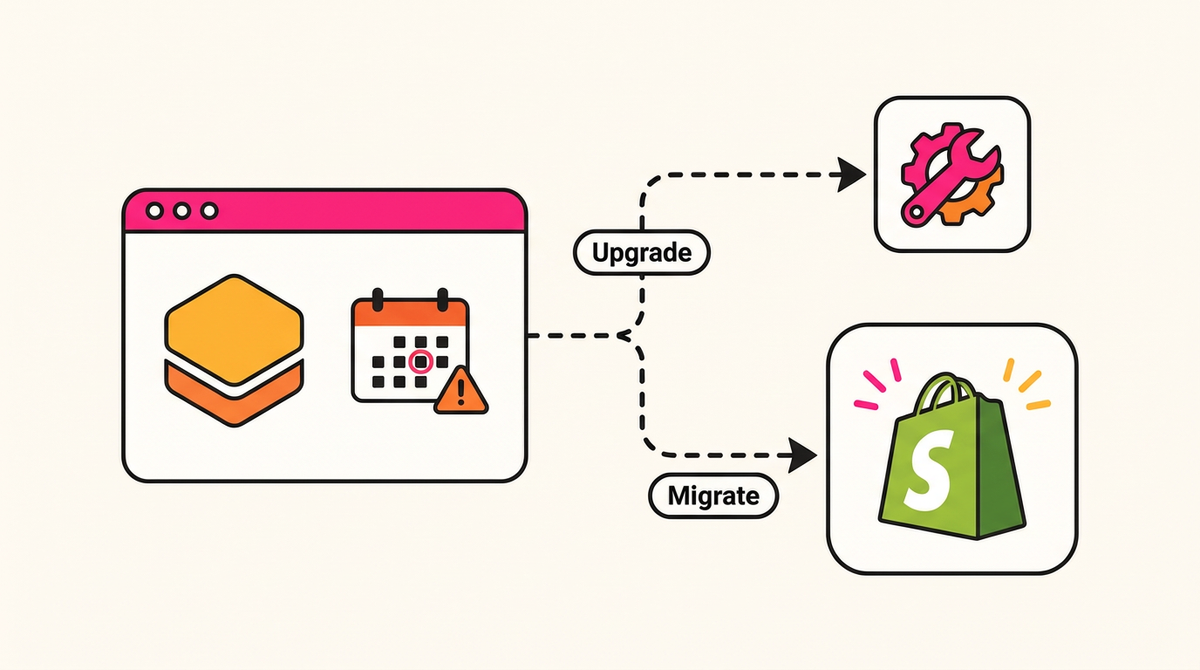
Magento 2 has no end-of-life date; each 2.4.x version does. Adobe Commerce 2.4.6 left standard support on August 11, 2026, and 2.4.7 follows on May 31, 2027. On Adobe Commerce on cloud, stores on 2.4.4 and 2.4.5 must upgrade or migrate by June 1, 2027. Upgrade to 2.4.9 if you rebuilt on Adobe recently. If a rebuild is coming anyway, price Shopify Plus against it first.
About the author. I've built on Magento for over ten years and was a certified Magento developer until the original certification program was retired. My team still patches and upgrades Adobe Commerce stores, so the upgrade path below is work we do, not a straw man set up for a migration pitch.
If your store is slow or unstable rather than out of date, start with our guide on whether to speed up, stabilize or replatform.
Is Magento 2 end of life? Support dates by version
No. Adobe has announced no end-of-life date for the product, and 2.4.10 is in alpha. It publishes a support window per release instead. Its lifecycle policy (last updated September 18, 2026) gives "a three-year standard support window from the General Availability (GA) date for each version", plus "one year of additional support at no additional cost for Adobe Commerce customers on versions 2.4.6 and 2.4.7."
| Version | General availability | End of standard support | End of extended support | Cloud (PaaS) deadline to upgrade or migrate | Status on November 9, 2026 |
|---|---|---|---|---|---|
| 2.4.9 | May 12, 2026 | May 31, 2029 | To be announced | None announced | Supported |
| 2.4.8 | April 8, 2025 | May 31, 2028 | To be announced | None announced | Supported |
| 2.4.7 | April 9, 2024 | May 31, 2027 | May 31, 2028 | June 1, 2028 | Supported, standard support ends in under 7 months |
| 2.4.6 | March 14, 2023 | August 11, 2026 | August 31, 2027 | June 1, 2028 | Extended support only (Adobe Commerce customers) |
| 2.4.5 | August 9, 2022 | August 12, 2025 | August 11, 2026 | June 1, 2027 | Out of support |
| 2.4.4 | April 12, 2022 | April 12, 2025 | April 14, 2026 | June 1, 2027 | Out of support |
Sources: support dates from Adobe's lifecycle policy; cloud deadlines from Adobe's security enforcement policy (last updated October 14, 2026). We have not verified dates for releases before 2.4.4 at Adobe, so they are left out.
PHP adds a second clock. Adobe's lifecycle page notes that PHP 8.1 reached end of life on December 31, 2025 and PHP 8.2 reaches end of life on December 31, 2026. For 2.4.6 running on PHP 8.2, Adobe flags "PCI compliance at risk from end of 2026" and advises planning the upgrade or migration before the end of 2026. On 2.4.6, December 31, 2026 is the deadline that matters most.
What happens on Adobe Commerce on cloud if you miss a deadline?
Adobe escalates. Under its security enforcement policy, an Adobe Commerce on cloud environment that misses a version or dependency deadline can lose Admin access, then storefront traffic, and is finally decommissioned, which Adobe says "cannot be restored". The policy covers cloud (PaaS) versions 2.4.4 to 2.4.9, not Cloud Service or on-premises installs. It sets two kinds of deadline.
- Application version. Stores on 2.4.4 or 2.4.5 must upgrade to the latest cloud version or migrate to Adobe Commerce as a Cloud Service by June 1, 2027. Stores on 2.4.6 or 2.4.7 have until June 1, 2028. No version action is required on 2.4.8 or 2.4.9 at this time.
- Infrastructure dependencies. Some were due October 30, 2026, including MariaDB 10.5 and below, any Elasticsearch version (to OpenSearch) and RabbitMQ 3.9 and below. Others are due May 31, 2027, including PHP 8.1 and below (to 8.2 or higher) and Redis 5 and below (to Valkey 8 or higher). These apply to every version from 2.4.4 to 2.4.9, so a store on 2.4.8 can still have work to do.
Note the scope of the 2027 date. Adobe sets June 1, 2027 for 2.4.4 and 2.4.5 only; many third-party posts apply it to every unsupported version.
Does Adobe's extended support cover Magento Open Source?
Not as far as we can find. Adobe's lifecycle page covers Adobe Commerce, and it says the extra year of support is for Adobe Commerce customers. We could not find an Adobe statement that extends it to Magento Open Source. Open Source stores should assume the standard support date is the last date they get patches from Adobe, which puts 2.4.6 out of support since August 11, 2026. The cloud enforcement policy does not apply to Open Source, because Adobe does not host it. The risk is quieter: unpatched code, PHP past end of life, and a PCI scan that eventually fails.
How often does Adobe release patches, and what does applying them take?
Adobe's feature comparison (updated October 20, 2026) says Adobe Commerce on cloud "Requires manual upgrade and patching. Six patch releases and one minor release per year," and that on-premises "shares similar capabilities with the PaaS model".
Adobe's patch release schedule words it differently. It says a full patch for the 2.4.x LTS release line "is released annually (May)" and that "Individual, non-cumulative security patch files are released independently to enable faster remediation." The two pages do not describe the cadence the same way, so plan for the feature comparison's cadence and check Adobe's released versions page each quarter for what actually shipped.
Each patch is a deploy: apply it, check extensions, test checkout and integrations on staging, release in maintenance mode. With many third-party modules, extension compatibility is where the time goes. When an upgrade hurts, it is almost never Adobe's core code that breaks. It is a vendor module nobody has updated, or a custom override written against the old version.
Is Magento secure, and what does security cost if you stay?
Magento's core is patched regularly, but on Magento Open Source, on-premises Adobe Commerce and Adobe Commerce on cloud, applying those patches is the merchant's job. Adobe ships the fixes; you decide when they go live, and every day between release and deploy is exposure. Three incidents from the last two years show what that gap costs.
- CosmicSting (CVE-2024-34102), 2024. A flaw scored 9.8 out of 10 that attackers could exploit without logging in. One week after Adobe's June 2024 fix, Sansec found that just 25% of stores had upgraded. By October, Sansec reported that seven criminal groups had hacked 4,275 stores, about 5% of all Adobe Commerce and Magento stores, most of them ending up with a payment skimmer on the checkout page. Stores for Ray-Ban, National Geographic and Segway were among them. Sansec also warned that upgrading alone was not enough: stores had to replace their secret encryption keys as well.
- SessionReaper (CVE-2025-54236), 2025. Adobe released an emergency fix on September 9, 2025 for a flaw that allows customer account takeover and, under certain conditions, remote code execution without logging in. Six weeks later the attacks started. On October 22, Sansec reported that only 38% of stores were patched, and by November 1 its timeline showed attack traffic had reached 81% of all stores.
- Backdoored extensions, 2025. In May 2025, Sansec found the same backdoor in 21 extensions from three vendors: Tigren, Magesolution (MGS) and Meetanshi. It sat unnoticed for six years before attackers switched it on, and Sansec estimated that 500 to 1,000 stores were running the affected code. A Magento extension runs with full access to the server and the database, so a compromised extension vendor means a compromised store.
The patching section above is why the gap exists. Each fix has to be tested against every extension and the checkout before it ships, so it waits for a slot, and the store stays exposed while it waits. When you budget for staying, include someone who watches Adobe's security bulletins, emergency deploys outside the normal patch schedule, malware scanning, and the cost of a forensic investigation if a skimmer ever gets in.
The alternatives shift that work. Adobe Commerce as a Cloud Service moves core patching to Adobe, and because it only allows out-of-process extensions, third-party code no longer runs inside the store itself. On Shopify, the platform is hosted and patched by Shopify, which states that it is PCI DSS Level 1 compliant for the stores it powers. Shopify apps are not risk-free: an app with broad permissions can still expose customer data, so review what each one can access. But apps run on their developers' servers and connect through Shopify's APIs, and Shopify Plus checkout customizations run as sandboxed checkout UI extensions, so an app cannot rewrite the platform's code or drop a skimmer into the checkout the way a backdoored Magento module can.
How much does a Magento upgrade cost in hours and downtime?
For a mid-market store, Netalico estimates 8 to 24 hours for a security patch, 60 to 160 hours for a one-version upgrade and 150 to 400+ hours for a multi-version jump, with planned downtime from 15 minutes to a full night. Adobe does not publish upgrade effort, and third-party maintenance quotes range from $5,000 to $100,000 a year.
The ranges below are Netalico estimates for a mid-market store with 20 to 40 extensions and a few custom modules. Replace them with your own numbers.
| Work | Engineering and QA hours | Planned downtime | Basis |
|---|---|---|---|
| Security patch on a supported line (for example 2.4.8-pX to the next patch) | 8 to 24 hours | 15 to 60 minutes | Netalico estimate |
| Minor upgrade, one version (2.4.7 to 2.4.8) | 60 to 160 hours | 1 to 4 hours | Netalico estimate |
| Multi-version jump with PHP and service upgrades (2.4.4, 2.4.5 or 2.4.6 to 2.4.9) | 150 to 400+ hours | 2 to 8 hours | Netalico estimate |
| Heavily customized store (custom checkout, ERP or PIM integrations, 50+ modules) | Add 50% to 100% to the rows above | Add a rehearsal cutover | Netalico estimate |
| Cloud (PaaS) infrastructure upgrades (OpenSearch, Valkey, MariaDB, RabbitMQ) | Varies; Adobe says it will help schedule these | Varies | Adobe security enforcement policy |
Ask your team or agency what your last Adobe upgrade cost in hours and downtime. Multiply by Adobe's stated cadence of six patch releases and one minor release a year, add the PHP and service upgrades due by May 31, 2027, and you have next year's maintenance budget before any feature work.
Upgrade, Cloud Service or Shopify Plus: how do the three options compare?
An upgrade to 2.4.8 or 2.4.9 is the smallest project but keeps the patch work with you. Adobe Commerce as a Cloud Service and Shopify Plus both move patching to the vendor, and both mean rebuilding customizations and, on Luma, the storefront. The real choice is usually between two rebuilds, priced side by side.
| Upgrade to 2.4.8 or 2.4.9 | Adobe Commerce as a Cloud Service | Shopify Plus | |
|---|---|---|---|
| One-time effort | Smallest: an upgrade project (see the table above) | A replatform in practice: customizations rebuilt as out-of-process apps, storefront replaced if it is Luma | A replatform: theme, apps and integrations rebuilt; data, customers and URLs migrated |
| What gets rebuilt | Extensions that break on the new version | PHP modules (as App Builder apps or API and event integrations), Luma storefront, custom email templates | Storefront, extensions (replaced by apps or custom apps), integrations |
| Who patches afterwards | You or your agency | Adobe, automatically | Shopify, automatically |
| Recurring upgrade work | Six patches and one minor release a year, per Adobe | Review each update in a sandbox within 30 days | Keep apps and custom integrations on supported API versions |
| Best fit | Recent Adobe build, deep PHP customization, contract renewed | Committed to Adobe's wider stack, ready to rebuild customizations | Rebuilding anyway, or the platform work is costing more than it returns |
Option 1: upgrade to 2.4.8 or 2.4.9
An upgrade keeps your data, admin, extensions and team knowledge. From 2.4.4 to 2.4.6, go straight to 2.4.9: standard support runs to May 31, 2029, and you avoid paying for a second jump next year. Budget PHP, search and cache upgrades into the same project. The upgrades I've seen go worst are the deferred ones, where two or three versions of PHP, search and extension changes all land at once. The upgrade buys time; it does not reduce the patch work that follows.
Option 2: move to Adobe Commerce as a Cloud Service
Cloud Service is Adobe's SaaS version, and it removes the patch burden. Adobe's Cloud Service overview says it is updated through continuous delivery, which "eliminates the need for manual patching". You get in-app notice and "a 30-day period to evaluate the new capabilities in your sandbox instances" before updates are "automatically applied to your production environments", and Adobe guarantees backward compatibility for customizations built on its API-first model.
The cost is the move. Extensibility is "Out-of-process only (APIs, events, App Builder)", so in-process PHP modules have to be rebuilt. "Adobe Commerce as a Cloud Service does not support Luma storefronts." Email customization, native search customization and full data model customization are limited, and HIPAA is "currently not available". For a store with years of PHP customization, that makes the move a replatform with a familiar admin. Adobe publishes a migration overview, and Cloud Service pricing is by quote.
Option 3: migrate to Shopify Plus
Shopify runs hosting, PCI compliance and platform patching, per its Adobe comparison page. Your team still owns the theme, the app stack and any custom integrations, and those need upkeep as Shopify versions its APIs. The work that goes away is the core platform upgrade.
On the migration itself, EY research commissioned by Shopify (October 2025; 300+ organizations at $50M to $500M+ GMV, migrations from May 2022 to June 2025; averages) found migrations to Shopify finished 25% faster on average than migrations to Adobe Commerce, were 53% more likely to finish on time, and were 3.3x more likely to finish on budget. The sample skews larger than most mid-market stores; read it as a direction. Netalico's project work runs $25,000 to $250,000+, depending on catalog, integrations and B2B scope. Our Magento to Shopify Plus migration page covers the process, and our guide on replatforming without losing SEO or revenue covers the launch risks.
When should you upgrade Magento instead of migrating?
Upgrade when the store was rebuilt recently, the custom PHP works, the extensions are maintained and the people who wrote them still look after it, or when you just signed a multi-year Adobe contract. In those cases a 2.4.9 upgrade costs a fraction of any replatform, and the platform question can wait for the next renewal.
We are a Shopify agency, so weigh this accordingly. But I still work in Magento codebases, and a well-kept Adobe store is not a problem that needs solving. This is the advice I give when the answer is "not yet". When a store was rebuilt recently, the team knows the codebase well, and the extensions are maintained, I usually tell the merchant to upgrade and revisit the platform question at the next renewal.
Don't migrate yet when:
- You finished an Adobe build in the last 18 to 24 months. The code is current and a 2.4.9 upgrade is small by comparison.
- Your business logic lives in PHP and works. Complex B2B pricing, quoting or configurators are expensive to rebuild anywhere.
- You run several Adobe Experience Cloud products. Cloud Service keeps that stack together and removes patching.
- You just renewed a multi-year Adobe contract. Plan the decision for the next renewal, not this one.
- The cost gap is small for your setup. Some stores spend little on upgrades because they change little.
- Your developers know the codebase. A store maintained by people who wrote its modules costs far less to upgrade than one inherited from three past agencies.
Which option fits your store? A decision tree
Start from your version and how recently the store was built. Supported versions with predictable upgrade costs should stay and keep patching. Older versions with working custom code should upgrade to 2.4.9. Stores facing a redesign or growing upgrade bills should price Cloud Service and Shopify Plus as rebuilds. Magento 1 has to move.
| If this is true | Recommended path |
|---|---|
| On 2.4.8 or 2.4.9, upgrade costs are predictable, no rebuild planned | Stay and keep patching. Revisit at your next renewal. |
| On 2.4.4 to 2.4.7, recent build, heavy PHP customization that works | Upgrade to 2.4.9 now. |
| On Adobe Commerce on cloud, committed to Adobe's wider stack, willing to rebuild customizations | Scope Cloud Service and compare it with the upgrade. |
| On Luma or an aging theme, a redesign is due anyway | Compare Cloud Service and Shopify Plus as two rebuilds, side by side. |
| Upgrade and patch hours are growing each year and the team wants out of platform work | Scope a Shopify Plus migration. |
| On Magento Open Source 2.4.6 or older with no Adobe contract | Upgrade now for security, then decide on the platform within 12 months. |
| Still on Magento 1 | Treat it as urgent. A replatform is the only fix. |
How far ahead should you plan before an Adobe renewal?
Start 12 months out. Count back from your Adobe renewal or next support deadline, whichever comes first: about six months to audit, quote and decide, and five or six to build, migrate and launch. Waiting a year works if the year is used this way; otherwise the deadline arrives and the only option left is a rushed upgrade.
| Months before renewal | What to do |
|---|---|
| 12 to 10 | Pull last year's all-in platform cost: license, hosting, agency and developer hours, extensions, upgrade downtime. Confirm your version, PHP version and hosting type. |
| 10 to 8 | Inventory extensions and custom modules. Mark each as keep, replace or retire. List integrations (ERP, PIM, OMS, tax, search). |
| 8 to 6 | Get two scoped quotes: an upgrade to 2.4.9, and either Cloud Service or Shopify Plus. Ask each for hours, downtime and what gets rebuilt. |
| 6 to 5 | Decide. A migration needs most of the remaining window; an upgrade needs about a quarter of it. |
| 5 to 1 | Build, migrate data, map URLs, test integrations and checkout, and rehearse the cutover. |
| 1 to 0 | Launch with time to spare before the renewal or deadline. Monitor traffic and orders for 30 days. |
Is Magento 1 end of life?
Yes. Magento 1 reached end of life on June 30, 2020, and Adobe stopped releasing security patches for it at that point. There is no in-place upgrade to Magento 2. Moving to Magento 2, Cloud Service or Shopify Plus is a full rebuild in every case, so compare rebuilds.
How do you choose a Magento to Shopify Plus migration partner?
Judge a partner on five things you can check before you sign: real Magento depth, a written SEO and redirect process, a tested data migration method, a clear answer on who supports the store after launch, and references you can verify outside the agency's own website. A partner that only knows Shopify will struggle with your custom modules.
- Magento depth. Ask who will read your custom modules and extension list, and how many Magento 2 upgrades that person has run. Someone has to decide, module by module, what gets rebuilt, replaced by an app or retired.
- SEO and redirect process. Ask for the method in writing: a full crawl of the Magento site, 301 redirects for products, categories, layered navigation and CMS pages, titles and meta descriptions carried over, and at least 90 days of monitoring after launch. Ask to see organic traffic before and after a past migration.
- Data migration method. Ask how customers, order history, configurable products and attribute sets move, how many full test runs happen before launch, and how counts and prices are reconciled before cutover.
- Support after launch. Ask whether the team that builds the store also supports it, or hands it to someone else, and what that support costs each month.
- Verifiable references. Check the partner's tier in Shopify's Partner Directory, look for case studies Shopify itself has published about the partner's work, and ask for a merchant you can call. Ask whether any of the work is subcontracted.
Where Netalico fits
Netalico is a Shopify Plus Premier Partner, founded in 2011 and a Shopify Partner since 2016, with hundreds of Shopify builds for mid-market and enterprise DTC and B2B brands between $2M and $50M in GMV. Shopify's own Audio Advice case study covers the Magento to Shopify Plus migration we ran for that retailer: revenue up 21%, orders up 28% and conversion rate up 47% year over year. Shopify's enterprise guide to AI ecommerce migration features Netalico's founder. We still upgrade and patch Adobe Commerce stores, which is why this page gives the upgrade path a fair hearing, and the team that builds a Shopify Plus store stays on after launch through a retainer of $3,700 to $10,000 a month (about $4,500 for the average client). Netalico is an Americas-based agency with hubs in New York, Los Angeles, San Francisco and Miami, plus colleagues in Canada and Brazil; every person is in-house, nothing is subcontracted, and the team works US hours. The process, timelines and FAQ are on our Magento to Shopify Plus migration page.
Frequently asked questions
Is Magento 2 end of life?
No. Adobe has announced no end-of-life date for Magento 2 or Adobe Commerce as a product. Each 2.4.x version has its own support window: three years of standard support from general availability, plus one extra year for Adobe Commerce customers on 2.4.6 and 2.4.7. Versions 2.4.4 and 2.4.5 are already out of support; 2.4.6 is in extended support until August 31, 2027.
When does Magento 2.4.7 support end?
Adobe Commerce 2.4.7 leaves standard support on May 31, 2027 and extended support on May 31, 2028, per Adobe's lifecycle policy. On Adobe Commerce on cloud, stores on 2.4.6 or 2.4.7 must upgrade or migrate by June 1, 2028. Version 2.4.8 has standard support to May 31, 2028, and 2.4.9 to May 31, 2029.
Should I upgrade Magento or migrate to Shopify Plus?
Upgrade if you rebuilt on Adobe recently, rely on PHP customizations that work, or just renewed a multi-year contract. Look at Shopify Plus if you were going to rebuild the storefront anyway, or if patch and upgrade hours keep growing. Compare both as quoted projects, not list prices.
Does Adobe Commerce as a Cloud Service upgrade automatically?
Yes. Adobe says Cloud Service is "automatically upgraded by Adobe through a versionless SaaS model". You get an in-app notice and 30 days to test each update in sandbox before it reaches production. This applies only to Cloud Service, not to Adobe Commerce on cloud (PaaS), on-premises or Magento Open Source, which still need manual upgrades.
Can I keep my Magento extensions on Adobe Commerce as a Cloud Service?
Not as they are. Cloud Service allows out-of-process extensibility only: APIs, events and App Builder apps. In-process PHP modules, including most Marketplace extensions written for Magento 2, have to be replaced or rebuilt. Luma storefronts are not supported either.
How much does a Magento upgrade cost?
Netalico estimates 8 to 24 hours for a security patch, 60 to 160 hours for a one-version minor upgrade, and 150 to 400+ hours for a multi-version jump with PHP and service upgrades, for a mid-market store with 20 to 40 extensions. Planned downtime runs from under an hour to a full night. Heavily customized stores can take twice as long.
Is Magento less secure than Shopify?
Magento's core code is patched regularly, but on Open Source, on-premises and Adobe Commerce on cloud, applying those patches and vetting extensions is the merchant's job. Attackers move fast when stores wait: Sansec reported that CosmicSting hit 4,275 stores in 2024, about 5% of all Adobe Commerce and Magento stores. Shopify hosts and patches its platform and is PCI DSS Level 1 compliant, so most of that work moves off the merchant. Apps still need vetting on either platform.
We want to wait a year. What is the risk?
It depends on your version. On 2.4.6, PHP 8.2 reaches end of life December 31, 2026, and Adobe flags PCI risk from then. On cloud, PHP 8.1 and Redis 5 must be upgraded by May 31, 2027, and 2.4.4 and 2.4.5 must move by June 1, 2027. Waiting is fine if the year is spent scoping both paths.
Is Magento 1 end of life?
Yes. Magento 1 reached end of life on June 30, 2020, and Adobe stopped releasing security patches for it then. There is no in-place upgrade from Magento 1 to Magento 2, so moving to Magento 2, Adobe Commerce as a Cloud Service or Shopify Plus is a full rebuild in each case.
Sources and method
Every Adobe date on this page comes from Adobe Experience League, read on November 9, 2026. Where Adobe's own pages disagree, we say so and quote Adobe's wording. Upgrade hours and downtime are Netalico estimates, labeled as such, because no reliable public source exists. Shopify figures are averages from research Shopify commissioned. Netalico is a Shopify Plus Premier Partner and earns revenue from migrations to Shopify. We also do Magento and Adobe Commerce work, including upgrades.
- Adobe, Adobe Commerce lifecycle policy, updated September 18, 2026
- Adobe, Required actions and deadlines to secure Commerce environments, updated October 14, 2026
- Adobe, Cloud Service feature comparison, updated October 20, 2026
- Adobe, Adobe Commerce as a Cloud Service overview
- Adobe, Cloud Service migration overview
- Adobe, Patch release schedule, updated October 8, 2026
- Adobe, Released versions, updated October 14, 2026
- Shopify, Shopify vs Adobe Commerce (EY Time to Value study, commissioned by Shopify, 2025)
- Sansec, CosmicSting attack threatens 75% of Adobe Commerce stores, June 18, 2024
- Sansec, Thousands of Adobe Commerce stores hacked in competing CosmicSting campaigns, October 1, 2024
- Sansec, Backdoor found in popular ecommerce components, May 1, 2025
- Sansec, SessionReaper attacks have started, 3 in 5 stores still vulnerable, October 22, 2025, and the SessionReaper timeline
- Shopify, PCI compliance
- Shopify, API versioning
- Shopify, Audio Advice case study
- Shopify, AI ecommerce migration (Enterprise blog)
- Shopify Partner Directory, Netalico profile
If you have a support deadline or an Adobe renewal in the next 12 months, send us your version and last year's upgrade hours and we will scope the upgrade and the migration side by side. If you have already decided to move, start with our Magento migration agency page.